Rehearse hazardous procedures in VR
Develop virtual scenarios in which people practise moving between work locations and responding to relevant conditions. The procedure, hazards and learning objectives would be defined with specialists.
 EIRS
All demos · Industrial challenges
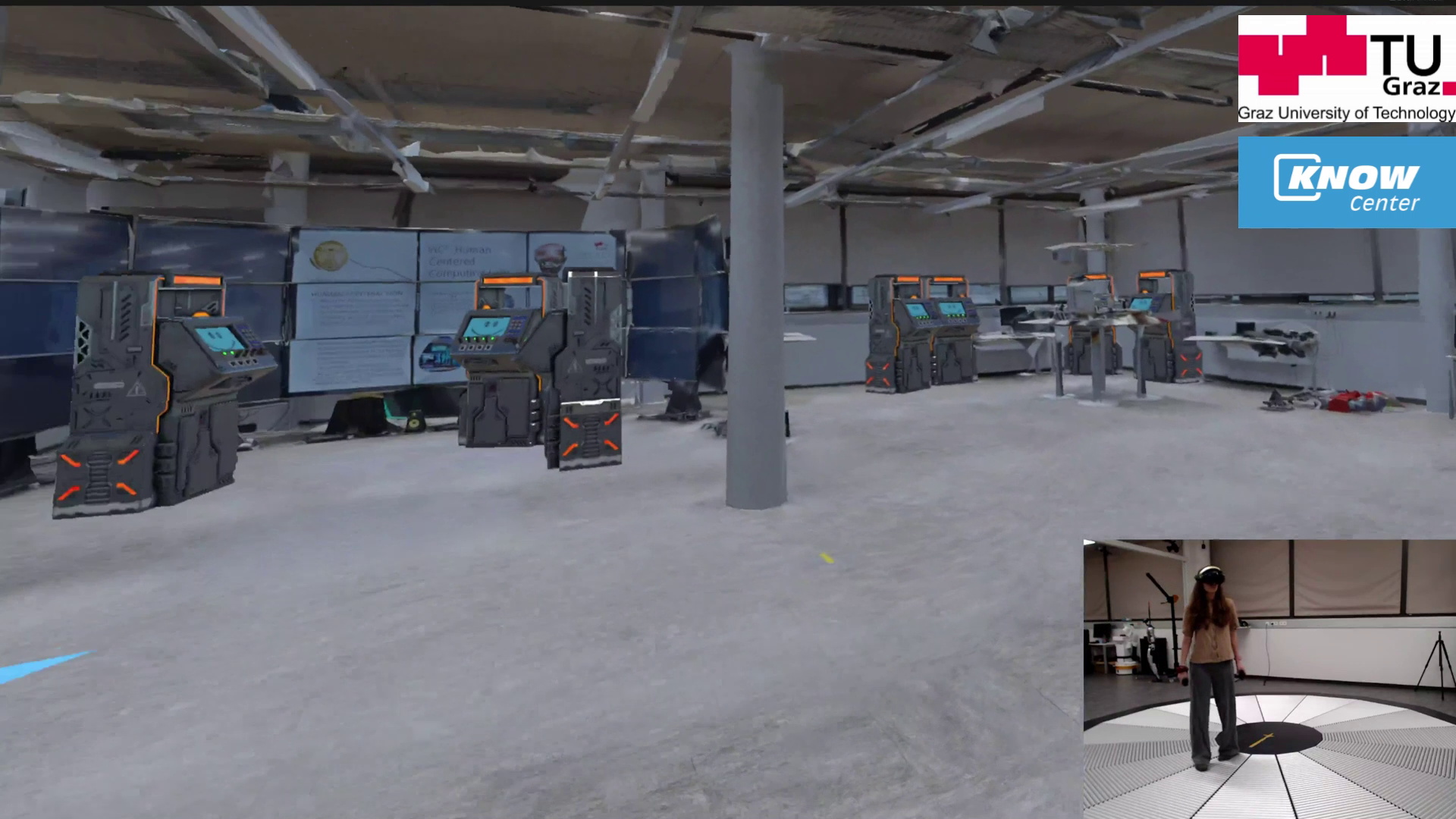
Explore how visual guidance in virtual reality (VR) can help people find equipment in a complex facility while keeping the surrounding workspace in view. The experience combines a scanned industrial environment, virtual maintenance tasks and opportunities to report hazards along the route.
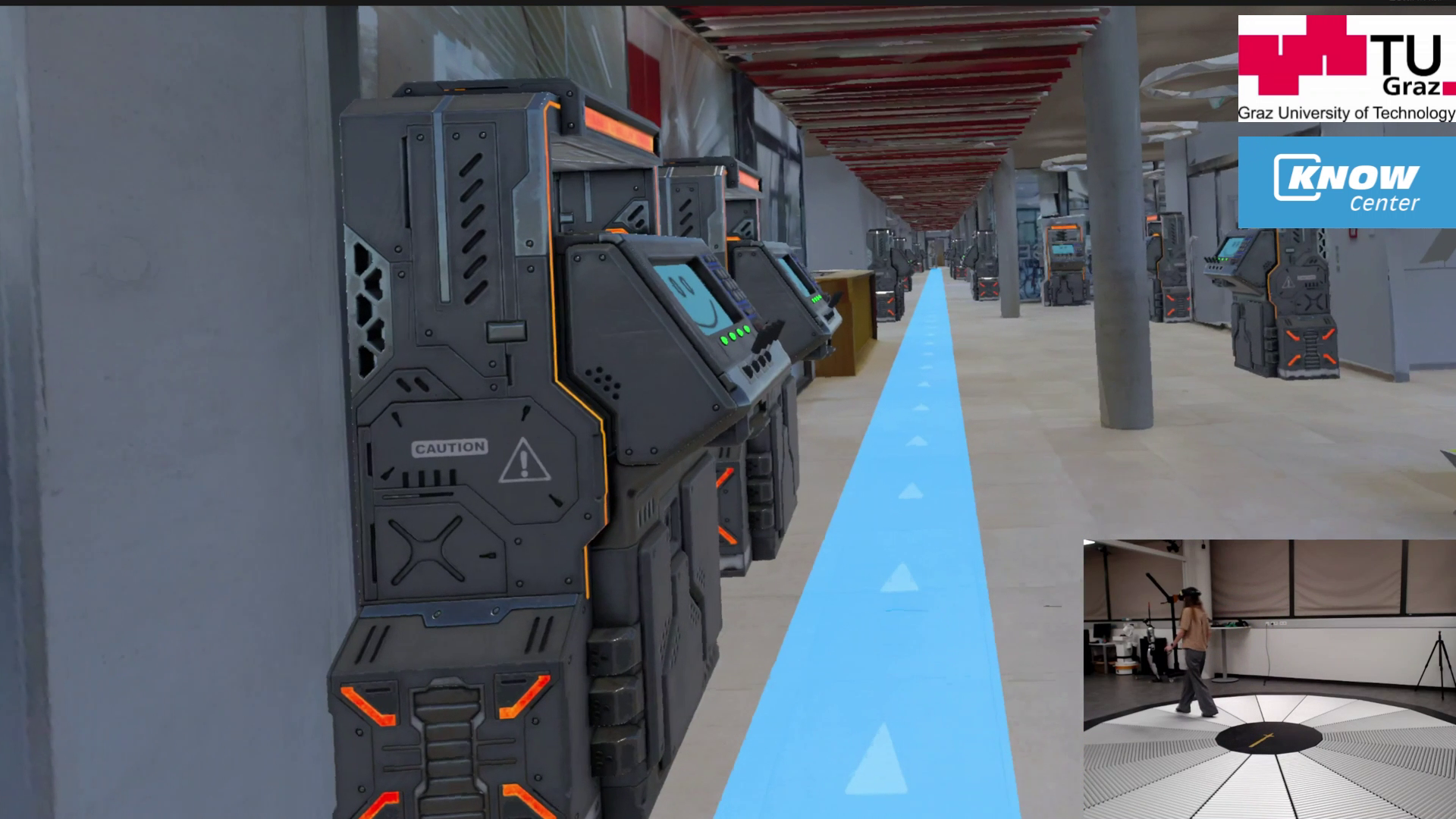
Help people follow a route while keeping attention available for the workspace. This demo explores how much visual direction is useful when a person also needs to inspect equipment and notice surrounding conditions.
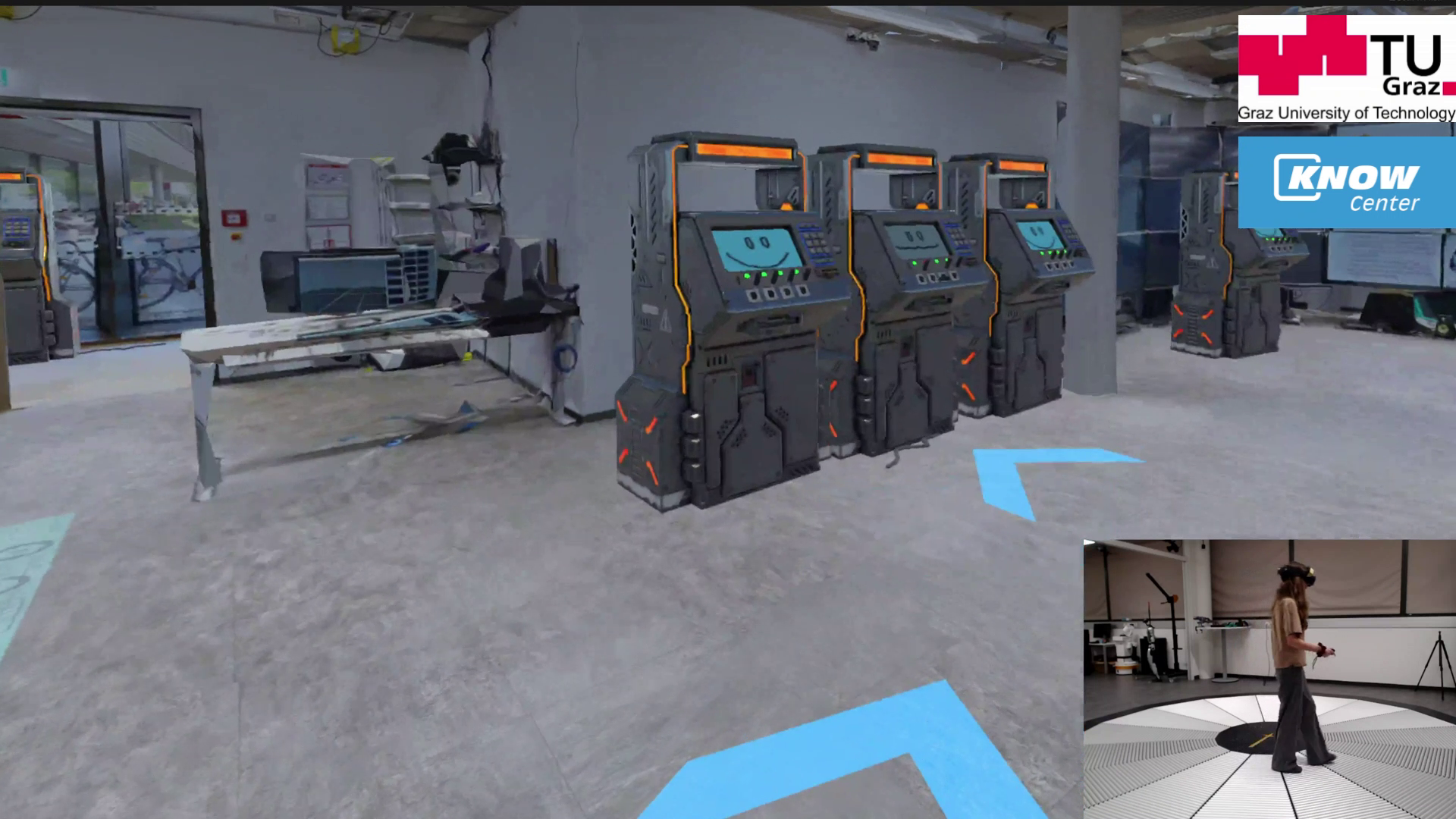
The testbed recreates an industrial facility in VR, with virtual machinery, simulated faults and surrounding hazards. A Meta Quest Pro headset and an Omnideck VR omnidirectional treadmill support walking through the maintenance scenario.
Teams can compare route guidance alongside the task it needs to support. The same scenario combines finding equipment, completing virtual maintenance actions and reporting hazards noticed on the way.
Persistent route overlays can compete with equipment and hazards for visual attention. Very sparse guidance can require users to search for the next direction. The design challenge is to provide enough information at the right locations without obscuring the work area.
A 3D scan provides the facility layout. Virtual machinery creates maintenance tasks, and simulated hazards give users a reason to look beyond the route. Guidance leads users between machines as they work through the scenario.
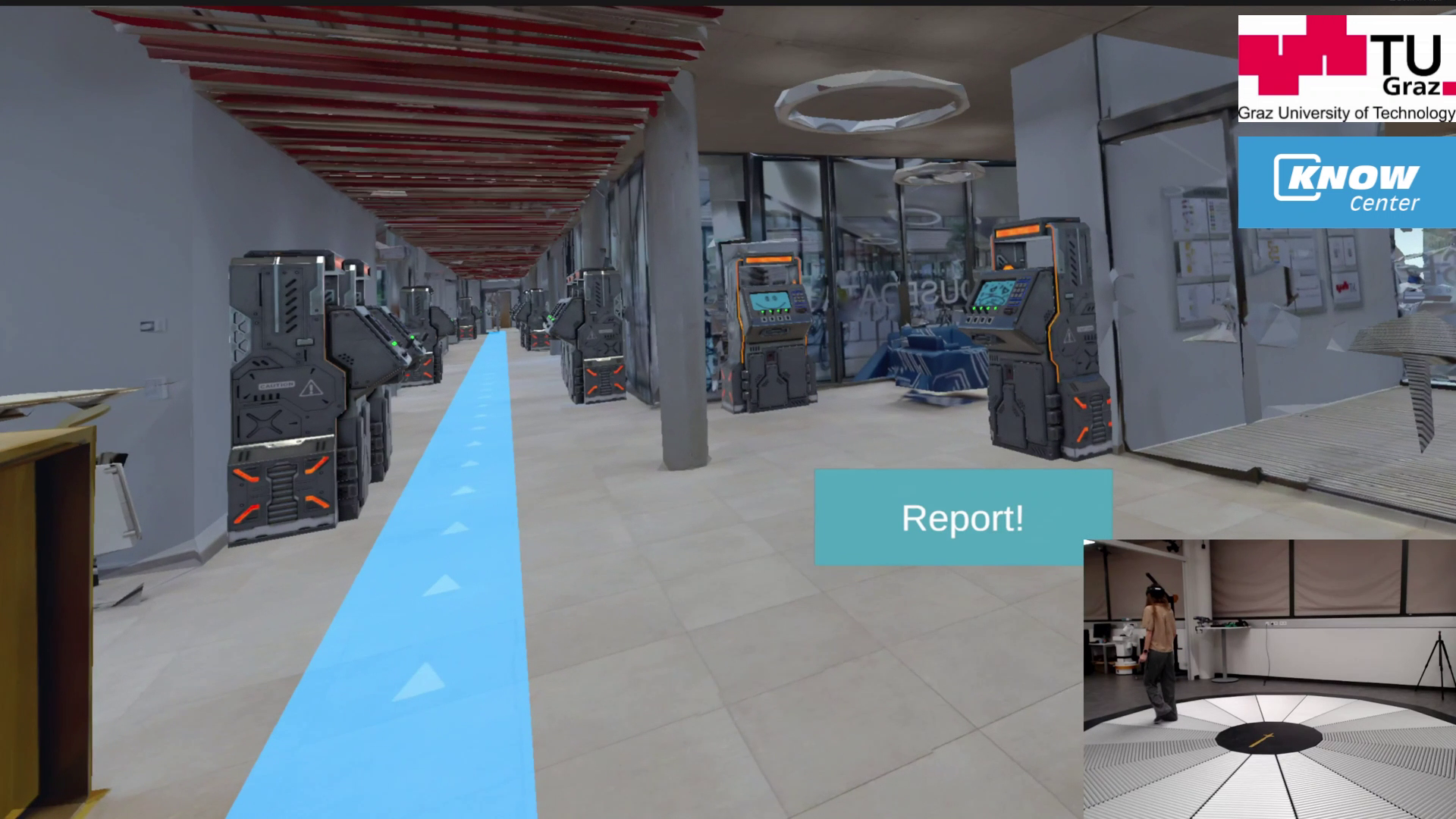
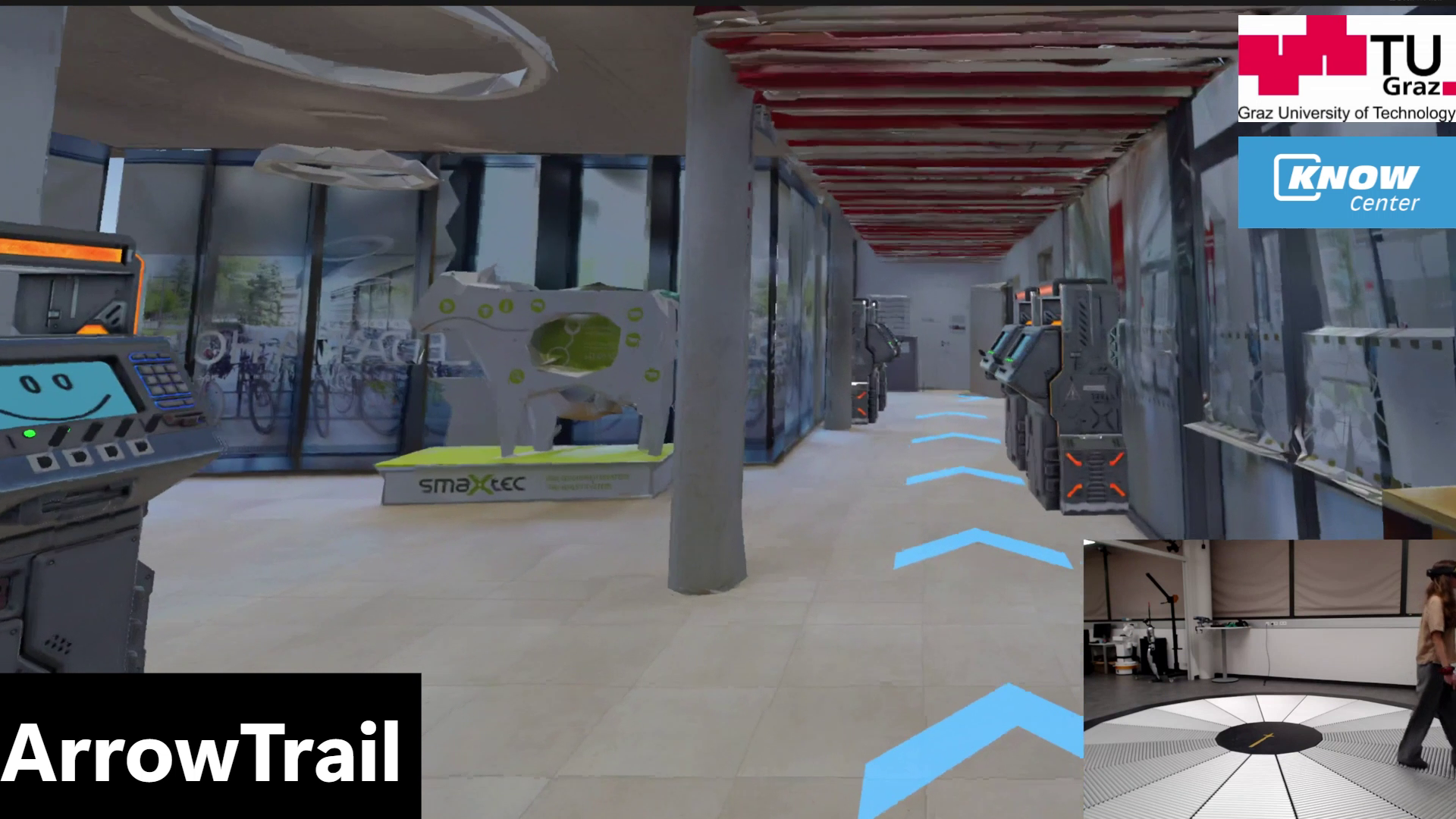
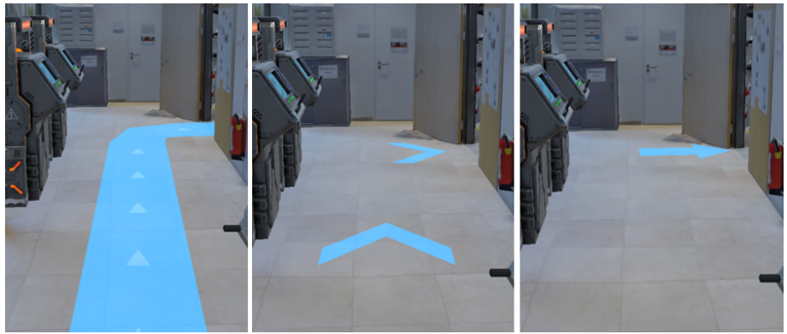
The demo compares three ways to show a route: a continuous highlighted path, a sequence of directional arrows, and markers at turns. After a virtual machine is repaired, the guidance points to the next one.
Users follow the directions to a machine, adjust its virtual controls to clear a simulated fault, and report hazards they notice by looking at them and pressing a controller button.
The study used a Meta Quest Pro headset with eye tracking and the Omnideck. Eye tracking supported gaze-based hazard reporting, while the treadmill let participants walk through the virtual facility. The environment was based on a 3D scan.
The VR study points to a balance between continuous overlays and sparse turn prompts. Users preferred the middle level of guidance and noticed anomalies more quickly while using it. For design teams, this supports evaluating route cues alongside workspace awareness rather than judging guidance only by whether people reach a destination. These findings describe the VR scenario studied.
Further development could adapt the facility and maintenance tasks to a specific site, then test guidance against its equipment, hazards, and workflows. Guidance that changes with the task or surrounding conditions could also be explored. Use in AR or live operations would need separate evaluation.
People following a route may also need to inspect equipment and notice hazards. Guidance should help them reach the next task while leaving the surrounding environment visible and understandable.
Develop virtual scenarios in which people practise moving between work locations and responding to relevant conditions. The procedure, hazards and learning objectives would be defined with specialists.
Include opportunities to notice and report unusual equipment states while navigating a workspace. A project could examine how route guidance and inspection information work together.
Study how people divide their attention between guidance, equipment and the surrounding scene. Gaze measurements can be considered alongside task actions and performance when evaluating an interface.
A collaboration could compare guidance approaches in a representative environment, considering navigation, inspection and awareness together.
Explore research and collaboration →A walkthrough of visual guidance in the virtual maintenance environment.
This work is part of DDIA, Data Driven Immersive Analytics in Digital Industries.
DDIA is an FFG COMET Module (2022 - 2026) at Know Center Research GmbH.